Action Editor |

|

|
|
Action Editor |
|
|
Action Editor |
|
|
|
Action Editor |
|
|
|
|
||
OverviewInterfaceSpecial FeaturesEvents
The action editor is a dialog where you can add actions or scripts to events in Visual Patch.
You can use its interface to add actions by either typing them in or by clicking the Add Action button.
By adding actions to different events, you can control when the actions are performed during your patch.
A typical action editor view of a screen's actions:
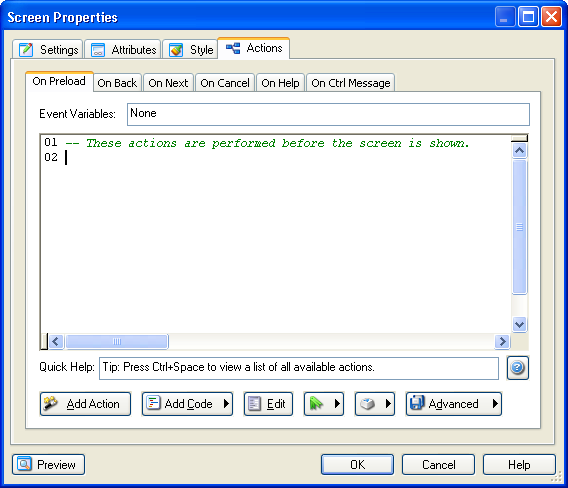
Note: Depending on what events are available for any given screen, the actual action editor may have different event tabs.
Tip: The above dialog is accessed by viewing any screen's properties, and clicking on the Actions tab.
A typical action editor view of a project's actions:
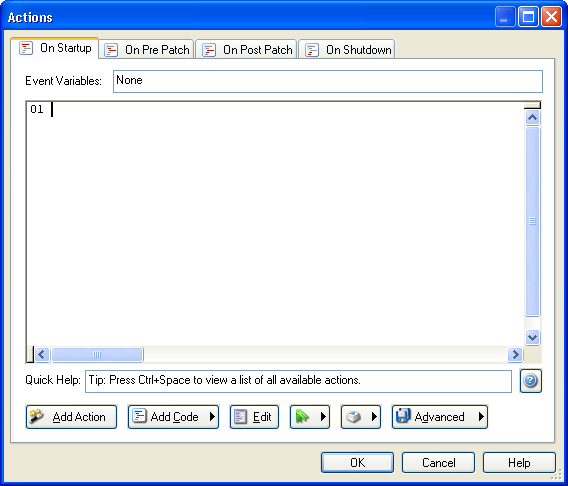
Tip: The above dialog is accessed by choosing Project > Actions... from the program menu.
Learn More: Indigo Rose Software - Visual Patch - Buy Now - Contact Us