Script Editor |

|

|
|
Script Editor |
|
|
Script Editor |
|
|
|
Script Editor |
|
|
|
|
||
OverviewInterfaceSpecial FeaturesEvents
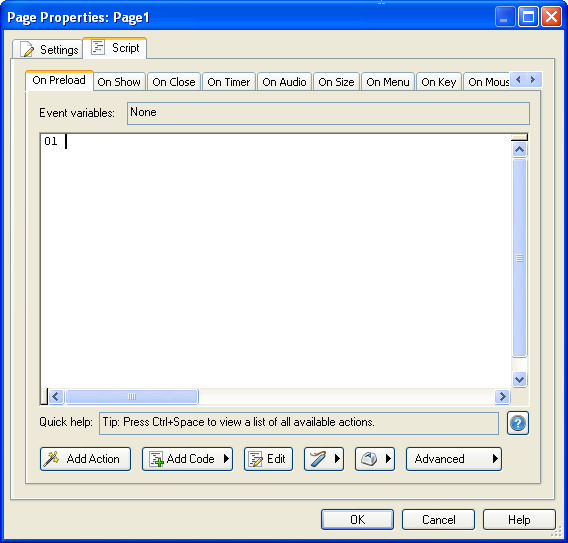
The script editor is a dialog where you can add actions or scripts to events.
You can use its interface to add actions by either typing them in or by clicking the Add Action button.
By adding actions to different events, you can control when the actions are performed.
Tip: An easy way to access the script editor is to double-click on the object, page, or dialog surface and then click on the Script tab.
Learn More: Indigo Rose Software - AutoPlay Media Studio - Buy Now - Contact Us