Introduction |

|

|
|
Introduction |
|
|
Introduction |
|
|
|
Introduction |
|
|
|
|
||
ContentsChanges to Setup Factory
Setup Factory 10 remains almost 100% compatible with projects built with previous versions. The items below describe areas that may require attention.
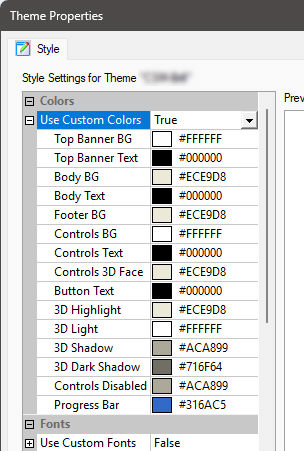
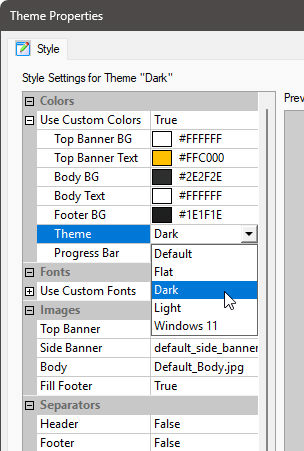
We changed the way how custom colors are used in Screen Themes. Until Setup Factory 9, setting a custom color for the text shown on the screens would also change the way how the buttons were drawn, leaving to results which look very outdated when compared to current standards. Instead of drawing the buttons on screens with colors for each face, now you will select a theme instead.
Setup Factory 9 or earlier |
Setup Factory 10 |
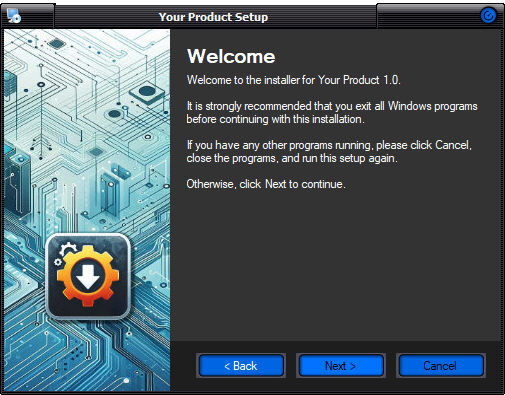
With Setup Factory 10, you can build installers featuring dark buttons and window colors, keeping a consistent look of the application window. Of course, you still can use your own window sizes, fonts, and custom graphics as needed.
: '\003cp' style=;" align=center width=100%>
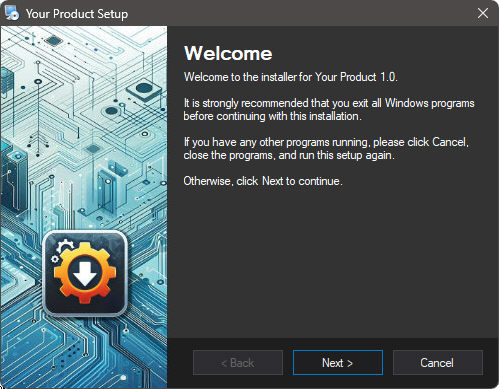
Dark Theme, Dark colors for buttons, no Skin
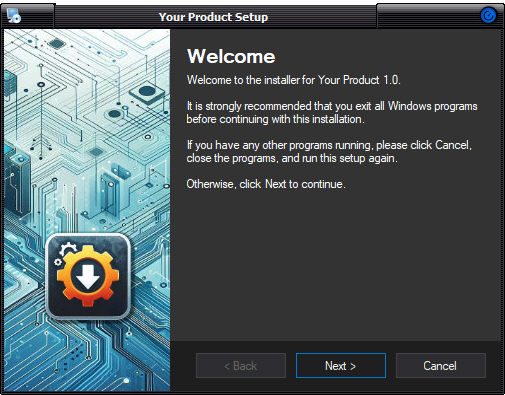
If you created a custom theme in a previous version of Setup Factory, you may need to revise it before using it in a new build, so the buttons are drawn in the look which fit your design in the best way. Of course, should you still desire colored buttons which do not follow current Windows themes, you can use a skin file, like shown here:
: '\003cp' style=;" align=center width=85.94%>
Dark Theme, Default color for buttons, Cosmo Skin |
|
Dark Theme, Dark color for buttons, Cosmo Skin |
XP Themes / Visual Styles for skinning (*.msstyles files) can be found on the internet (of course you need to clear with the author if you can use it in your installer), or you can build your own theme, using free tools. Skins can be found on sites like DeviantArt, The PCman Website, SkinSoft, and many others.
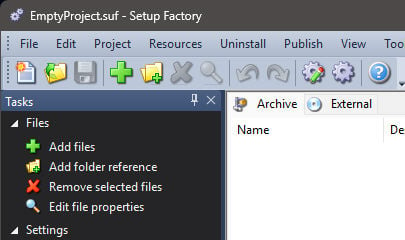
We also added a few new options for customizing the IDE, under Edit > Preferences > Environment. We added "Visual Studio 2010" for both the GUI and Docking Pane, and "Visual Studio 2012" to the GUI and Task Pane as coloring options, so these areas of the interface can now be shown in darker themes than before, if this is what you prefer.
Setup Factory now contains an updated version of the Lua scripting library, version 5.3 (previously 5.1). Setup Factory's version has been compiled to try to maintain compatibility, however there are some minor syntax changes/deprecations made to the language that you need to be aware of for future development as well as previously created projects and lua scripts.
When importing a project made with an earlier version of Setup Factory, Setup Factory 10 will automatically analyze your project file and create a report detailing any areas where it thinks the old style for loop is in use. If there are any old for loops found the report will automatically be saved in the same folder as your new 10 project file and opened in your default web-browser. We recommend analyzing each line of code found in the report to ensure that you only use the new for loop syntax.
The syntax for iterating a table using for loop using in has changed (has been deprecated) If the syntax is not changed, a runtime error will be thrown when executed.
Old syntax:
mytable = {"One","Two","Three"};
for k, v in mytable do
Dialog.Message("Table Item", k .. "=" .. v);
end -- for
Needs to be changed to:
mytable = {"One","Two","Three"};
for k, v in pairs (mytable) do
Dialog.Message("Table Item", k .. "=" .. v);
end -- for
The functions table.foreach and table.foreachi are also deprecated. You can use a for loop as above with pairs or ipairs instead. While these two are deprecated, they still work (unlike the example above), however you are advised to also rework these types of loops in case they are removed from future versions.
If you commonly use Lua functions (non-Setup Factory actions) in your scripts, you may also want to review the list of other changes to the language in case other changes affect you. You can find this information in the Lua 5.3 Reference Manual found on https://www.lua.org.
We attempted to keep the way how values are returned from functions similar to Setup Factory 9 and earlier, but with Lua 5.3, numbers are handled a bit differently. It is possible that a number is returned as a float with a decimal .0, even if the number could be written as an integer. Lua does not differentiate between "14" and "14.0", for example, so while it make look weird, you can use a number with a decimal part in a loop, for example. You may see this if you use the default Lua functions, as for the provided actions, we attempt to return integers whenever possible to avoid confusion. The form a number may be printed may become important if you make conversions to strings, and are not expecting a possible decimal part. If you need, please use math.floor() or string.format() to work around any unexpected situations.
You can find further information in the Lua 5.3 Reference Manual, where it discusses the Changes in the Language.
As of Setup Factory 10, only action plugins created with version 3 of the Plugin SDK (or higher) are compatible. When a version 7, 8 or 9 project is opened in version 10, the project is analyzed to determine if it contains any plugin actions. A list of these can be viewed in the analysis report that is automatically generated under the heading "Legacy Plugins."
In order for your project to work you will need to obtain updated versions of the plugins listed. Once you have the updated version of these plugins, simply install them into the correct plugin directory and your project should work properly. If you have already installed versions of the listed plugins that were created using version 3 of the Indigo Rose Plugin SDK then no further action is necessary.
With the diminishing user base of older operating systems, and benefits of using the latest development tools and compilers on the market, Setup Factory's operating system requirements have changed in version 10. The minimum supported operating system for both design and runtime is now Windows Vista.
Learn More: Indigo Rose Software - Setup Factory - Buy Now - Contact Us