How do I...? |

|

|
|
How do I...? |
|
|
How do I...? |
|
|
|
How do I...? |
|
|
|
|
||
AnswerList of Questions
Image maps are used to make various locations within one image 'hot', or clickable. To accomplish this in AutoPlay Media Studio:
| 1. | Create an image in an external image editor. In your project use a hotspot object for each clickable area: |
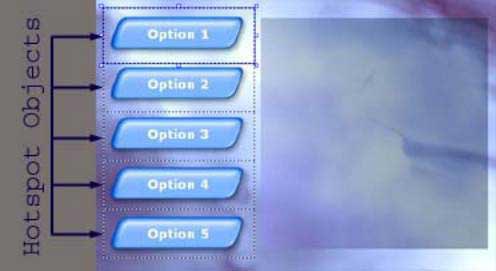
| 2. | Add an action to each hotspot object's On Click event to accomplish the desired task. For example, to open a web browser, use the action: |
File.OpenURL("http://www.indigorose.com/", SW_SHOWNORMAL);
Learn More: Indigo Rose Software - AutoPlay Media Studio - Buy Now - Contact Us